How to Collect Website Feedback Directly on Live Websites
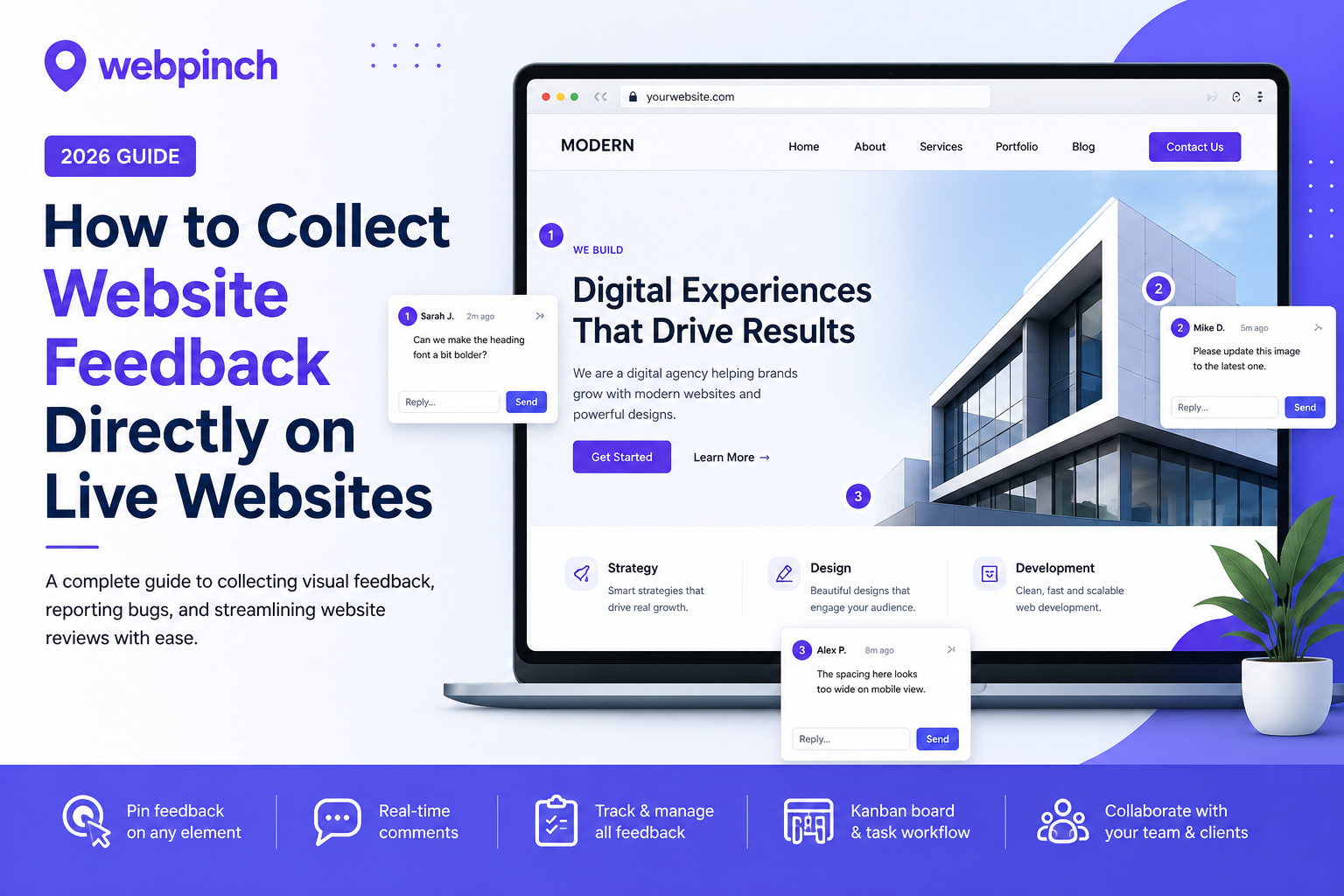
Launching a website is exciting. However, getting clear feedback is often frustrating.
If you've ever received comments like "The button near the top isn't working" or "Something looks off on the homepage," you understand how annoying vague remarks can be. Teams waste time trying to figure out what clients mean. This leads to unnecessary revisions, delayed launches, and endless email threads.
That’s why many agencies, developers, designers, and businesses prefer using a website feedback tool in 2026.
Instead of explaining problems through emails or screenshots, stakeholders can click on the live website, leave comments right where changes are needed, and keep everything organised in one place.
In this guide, you will learn how to collect website feedback directly on live websites, avoid common mistakes, and find a better workflow for quicker website approvals.
Why Traditional Website Feedback Doesn't Work

Many teams still use things like :
* email conversations
* WhatsApp messages
* PDFs with screenshots
* Excel sheets
* Phone calls
These things might seem easy to use but they often cause problems because:
Feedback gets over the place on different platforms.
The screenshots are new after the website changes.
The developers are having a time finding the exact problem, with the website.
The clients forget what has already been fixed on the website.
The project costs go up when we have to do things over again.
When the projects get bigger these problems happen a lot quickly with the projects.
What Is a Website Feedback Tool?
A website feedback tool is really helpful because it lets people leave comments on a live website.
This way people do not have to explain where something is wrong. They can just click on the page. Put a pin where they want to leave feedback.
Each comment stays right where they put it. Designers and developers can see exactly what they mean.
A good website feedback tool usually has some things like
* Visual commenting
* Screenshot capture
* Browser information
* Page URL tracking
* Bug reporting
* Task management
* Team collaboration
This makes it a lot easier for people to look at websites and figure out what needs to be changed. It saves time. Cuts out the guesswork. A website feedback tool like this really helps speed up website reviews. Makes things easier, for everyone involved with the website feedback tool.
Benefits of Collecting Feedback Directly on Live Websites
1. Faster Communication
Everyone gets to see the comment in the same place on the website feedback tool.
This means no more searching through lots of emails to find what people are saying.
The website feedback tool makes it easy for everyone to see what is going on.
2. Fewer Revision Cycles
When people give feedback on the website it reduces misunderstandings.
Developers do not have to spend a lot of time asking follow-up questions about the website feedback.
This saves them time. They can focus on fixing the issues with the website.
3. Better Client Experience
Clients do not need to know a lot about technology to use the website feedback tool.
They can just point to what they want to comment on click and leave a comment on the website.
This makes it easy for them to give feedback on the website.
4. Accurate Bug Reporting
Most website feedback tools can automatically collect information like what browser someone's using, the size of their screen and what operating system they have.
They can also tell you the page URL, which's the address of the webpage.
This helps developers reproduce issues with the website faster so they can fix the problems.
5. Improved Team Collaboration
The website feedback tool lets designers, developers, project managers and clients all work together in one place.
Nothing gets lost because everyone is looking at the thing on the website.
This makes it easy for everyone to work together on the website.
Step-by-Step: How to Collect Website Feedback on Live Websites
Step 1: Publish a Staging or Live Version
You need to make sure your reviewers can get to the website before they can leave comments on it.
So you should publish a version of the website that they can look at.
Step 2: Use a Visual Website Feedback Tool
. When sending pictures of the website you should use a tool that lets people leave comments right on the webpage.
Each comment becomes a task that someone can work on.
Step 3: Invite Your Team or Client
You should share the website with the people who need to look at it like clients, designers and developers.
This way everyone can look at the version of the website and leave comments on it.
Step 4: Pin Feedback
When people leave comments they can just click on the part of the website they want to talk about.
They can say things, like the text needs to be changed, the design needs to be improved. There is a broken link.
All of these comments stay right where they were made on the website.
Step 5: Track Progress
You can give each comment to a team member to work on. Then mark it as open, in progress or completed.
This makes it easy to see what is going on with the website and what still needs to be done.
It creates a workflow where everyone can see what is happening with the website feedback.
Common Mistakes to Avoid
Many teams slow down projects by making mistakes. These mistakes include:
❌ Sending feedback through channels
❌ Using screenshots
❌ Forgetting to test on devices
❌ Not giving team members tasks
❌ Not keeping a record of fixes that have been completed
Using one website feedback tool can help prevent these mistakes.
Best Practices for Better Website Reviews
* Review every page on the website.
* Test the website on desktop and mobile devices.
* Group similar problems together.
* Assign each comment to a team member.
* Fix bugs that are really important first.
* Keep all communication about the website inside one platform.
By following these steps, teams can reduce the time spent on revisions.
Why WebPinch Is a Smarter Solution
If you are looking for a way to manage website reviews WebPinch is built specifically for agencies, designers, developers and QA teams.
Of switching between emails, spreadsheets and chat apps WebPinch brings everything together in one visual workspace. This means you can see everything that is going on with your website in one place.
With WebPinch you can do a lot of things to make your life easier.
You can:
* Add feedback directly on live websites
* Turn comments into actionable tasks
* Track website bugs with a Kanban board
* Collaborate with clients in time
* Capture. Page information automatically
* Simplify QA before launch
* Reduce revision cycles
Whether you are managing one website or dozens of client projects WebPinch helps your team stay organized while delivering websites faster. This is really important because it means you can get your work done on time.
Final Thoughts
Collecting feedback should not be the part of building a website. It should be easy to get feedback from people and make changes to your website.
By replacing scattered emails and confusing screenshots with a workflow teams can communicate more clearly. They can reduce revisions and launch projects with confidence. This is what WebPinch does.
Investing in the right website feedback tool is not about fixing bugs. It is about creating an experience for clients, designers, developers and project managers. WebPinch does this by making it easy to give feedback and make changes.
If your team wants approvals and better collaboration adopting a visual feedback platform like WebPinch is a practical step. It helps you have an efficient website review process.
Frequently Asked Questions (FAQ)
What is a website feedback tool?
A website feedback tool allows users to leave comments directly on a webpage. This means they can click on the page and leave feedback where changes are needed. It is a lot easier than describing issues through emails or screenshots.
Why is visual website feedback better than email?
Visual feedback is better because it removes ambiguity. It attaches comments to elements on the page. This reduces back-and-forth communication. Shortens revision cycles. It helps developers resolve issues faster.
Can WebPinch help collect website feedback?
Yes WebPinch can help. It enables teams to collect feedback directly on live websites. They can assign tasks track bugs and collaborate with clients from a platform. It simplifies the website review process and helps agencies deliver projects more efficiently.
Who should use WebPinch?
WebPinch is ideal, for:
* Web design agencies
* Freelance designers
* Developers
* QA teams
* Digital marketing agencies
* Product teams
* Businesses managing website updates
Does WebPinch replace email feedback?
Yes it does. Of long email chains and scattered screenshots WebPinch centralizes feedback. This makes it easier to manage revisions assign tasks and monitor progress in one place.
Try WebPinch free
Pin feedback on any website, capture screenshots automatically, and track everything on a Kanban board.