In the news
What the press is saying
WebPinch Takes On the Visual Feedback Market with Built-In Site Audits, AI and Developer APIs
Agencies told us they were paying for a feedback tool, a separate SEO audit tool, and a project board, and still copying things between all three.Read on DailyhuntNation News Brief“Clients Aren’t Bad at Feedback. The Tools Are,” Says WebPinch Founder Siddharth Bisht
A marketing manager shouldn’t need to know what a viewport is or which version of Chrome they’re on. The software should capture that.Read on Nation News BriefPrime Post DailyWebPinch Expands Its Reach to Agencies Across the US, Europe and Australia with One Simple Global Price
An agency in Austin might have a designer in Lisbon and a client in Brisbane, all reviewing the same staging site.Read on Prime Post DailyOrange City TimesFrom the Foothills of the Himalayas to a Global SaaS: How Siddharth Bisht Built WebPinch for Web Teams Worldwide
People ask whether you can build a global software company from a small town in India. The honest answer is that the internet doesn’t care where you are.Read on Orange City TimesFrom the blog
Nobody Thinks About Website Maintenance Until Something Goes Wrong
A business launches its new website on Monday. The team is excited. The client is happy. The announcement goes live, the social posts are published, and…
The Website Looked Fine. Nobody Checked What Was Hiding Behind It.
The homepage looked great. The colours matched the design. The images loaded properly. The headings were in the right places. Everyone was happy. Then someone…
The Feedback Arrived at 4:57 PM
The website was supposed to go live at 5 PM. At 4:57, the client sent a message. “Looks great. Just noticed one thing.” The developer stared at the clock.…
The Client Was Waiting. The Developer Thought They Were Waiting for Them.
It was Thursday afternoon. The developer had finished the changes. The homepage looked good. The mobile layout had been checked. The task was basically done.…
The Fix Was Done. The Client Was Still Looking at the Old Version.
The developer had finished the fix. The button was in the right place. The spacing looked good. The mobile version had been checked. So the task was marked:…
Your Client Doesn't Know What a CSS Selector Is. And That's Fine.
Your client doesn't need to know what a CSS selector is. They don't need to know which browser version they're using. They probably don't know what viewport…
Three Clients, Five Websites, and One Very Confused Developer
Monday morning starts with good intentions. You open your laptop, grab your coffee, and look at the list of things you need to finish. Client A wants a few…
The Website Was Ready. The Approval Wasn’t.
There is a moment every web team looks forward to. The website is finished. The design looks good. The bugs have been fixed. The developer has checked…
The Feedback Loop: Why Website Fixes Don't End With "Done"
A developer fixes the bug. The task is marked Done . Everyone moves on. Or at least, that’s how it’s supposed to work. In reality, website feedback rarely…
From Feedback to Fix: What Happens After a Website Bug Is Reported?
You’ve reported a website bug. The developer has received the screenshot. Now what? This is where the actual work begins. In our previous blog, we discussed…
From Screenshot to Structured Bug: How Visual Feedback Can Become Developer-Ready Context
A screenshot can show a website problem, but is it enough for a developer to fix it? In modern website development, visual feedback plays an important role in…
Website Broken? Here's How to Identify What Went Wrong
Is your website broken? Learn how to identify common website bugs, understand what went wrong, and use WebPinch to troubleshoot issues faster.
How Visual Bug Tracking Makes Remote Collaboration Easier
Visual bug tracking helps remote teams turn confusing website feedback into clear, actionable fixes, making collaboration faster and easier.
The Bug Everyone Thought Was Someone Else’s Problem
A relatable story about how unclear website feedback creates confusion—and how visual feedback can help teams communicate, fix issues, and ship better.
Stop Sending Bug Screenshots Back and Forth: There’s a Better Way
Website bugs shouldn't turn into endless screenshot exchanges. Discover how WebPinch simplifies visual feedback and helps teams track and fix website issues faster.
Everyone Was Talking About the Same Website. Nobody Was Talking About the Same Problem.
See how unclear website feedback can waste time for developers, designers, and clients—and how WebPinch makes visual feedback simple and clear.

10 Common Website QA Mistakes That Delay Website Launches (And How to Avoid Them)
Discover the 10 most common website QA mistakes that delay website launches and learn how to streamline testing, feedback, and approvals for faster delivery.
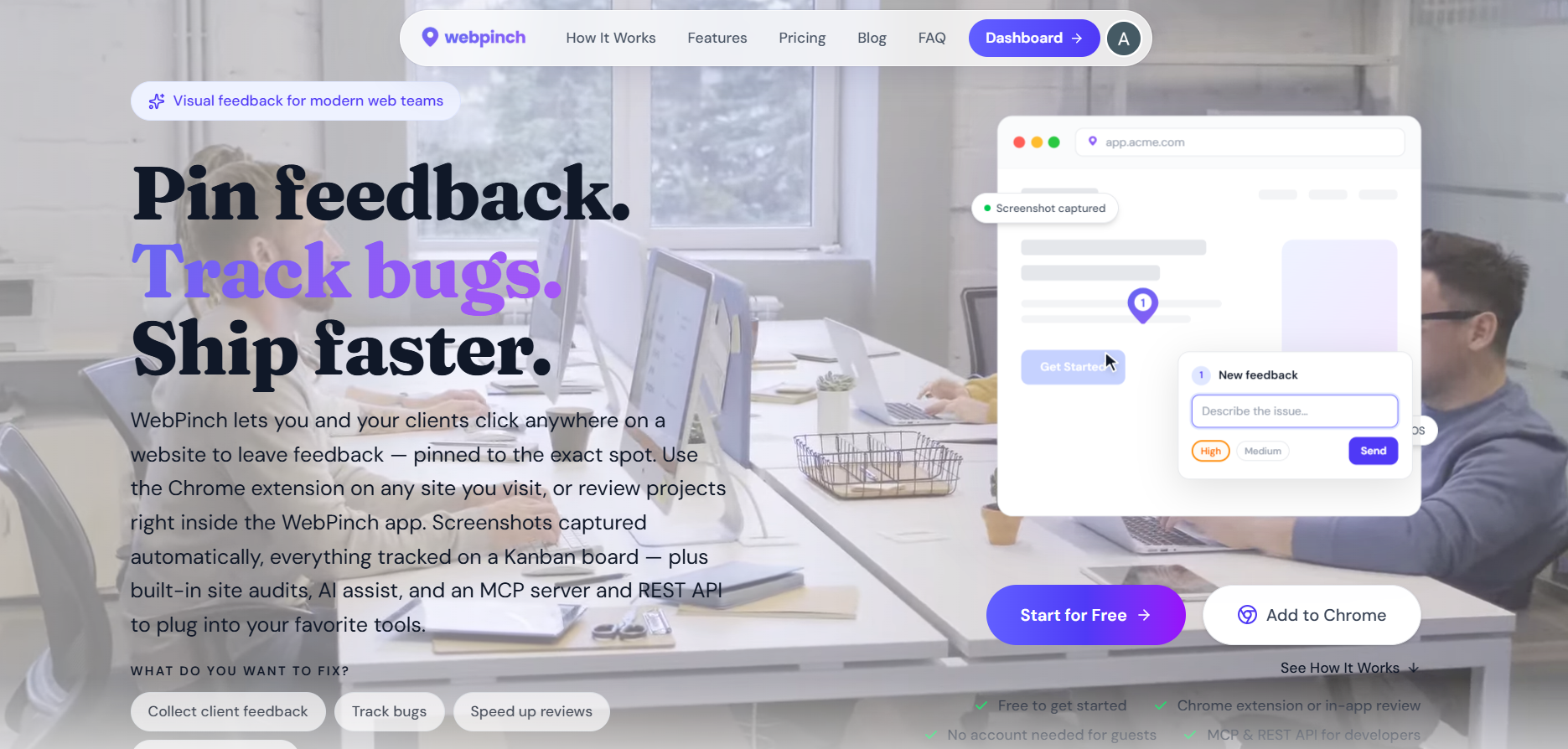
Website Review Process: Why Most Teams Waste Hours on Feedback (And How to Fix It)
Most website delays aren't caused by development—they're caused by messy feedback. Learn how to streamline your website review process and launch faster.
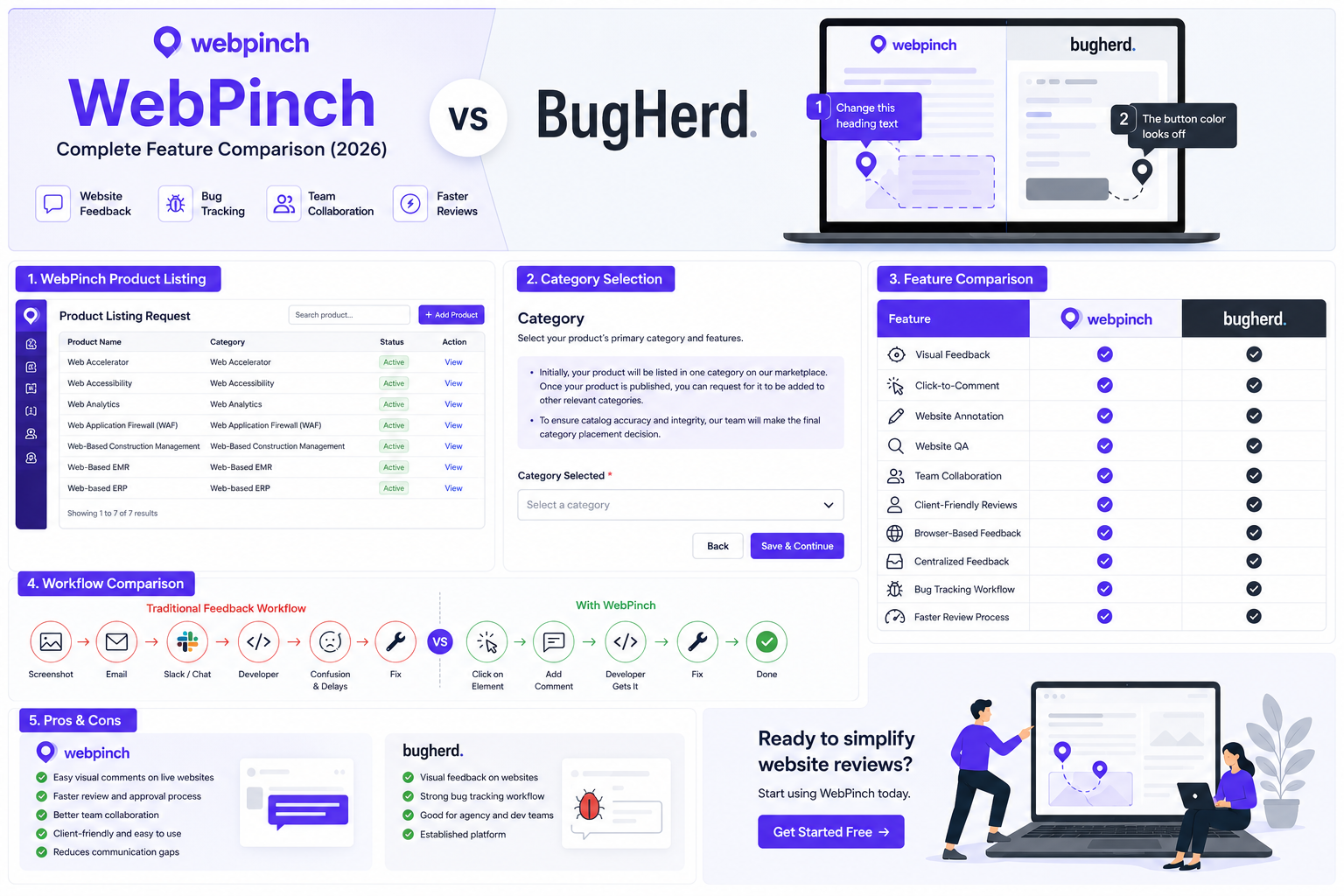
WebPinch vs BugHerd: Complete Feature Comparison
Compare WebPinch vs BugHerd to discover which website feedback tool is better for agencies, developers, QA teams, and client collaboration.

Chrome Extensions That Improve Website Reviews: A Better Way to Review Websites
Discover how a website review Chrome extension like WebPinch helps agencies and developers collect visual feedback, fix bugs faster, and collaborate seamlessly.

Why Traditional Feedback Methods Slow Down Web Projects
Building a website is a collaborative effort involving designers, developers, project managers, marketers, and clients. While the goal is always to deliver a…
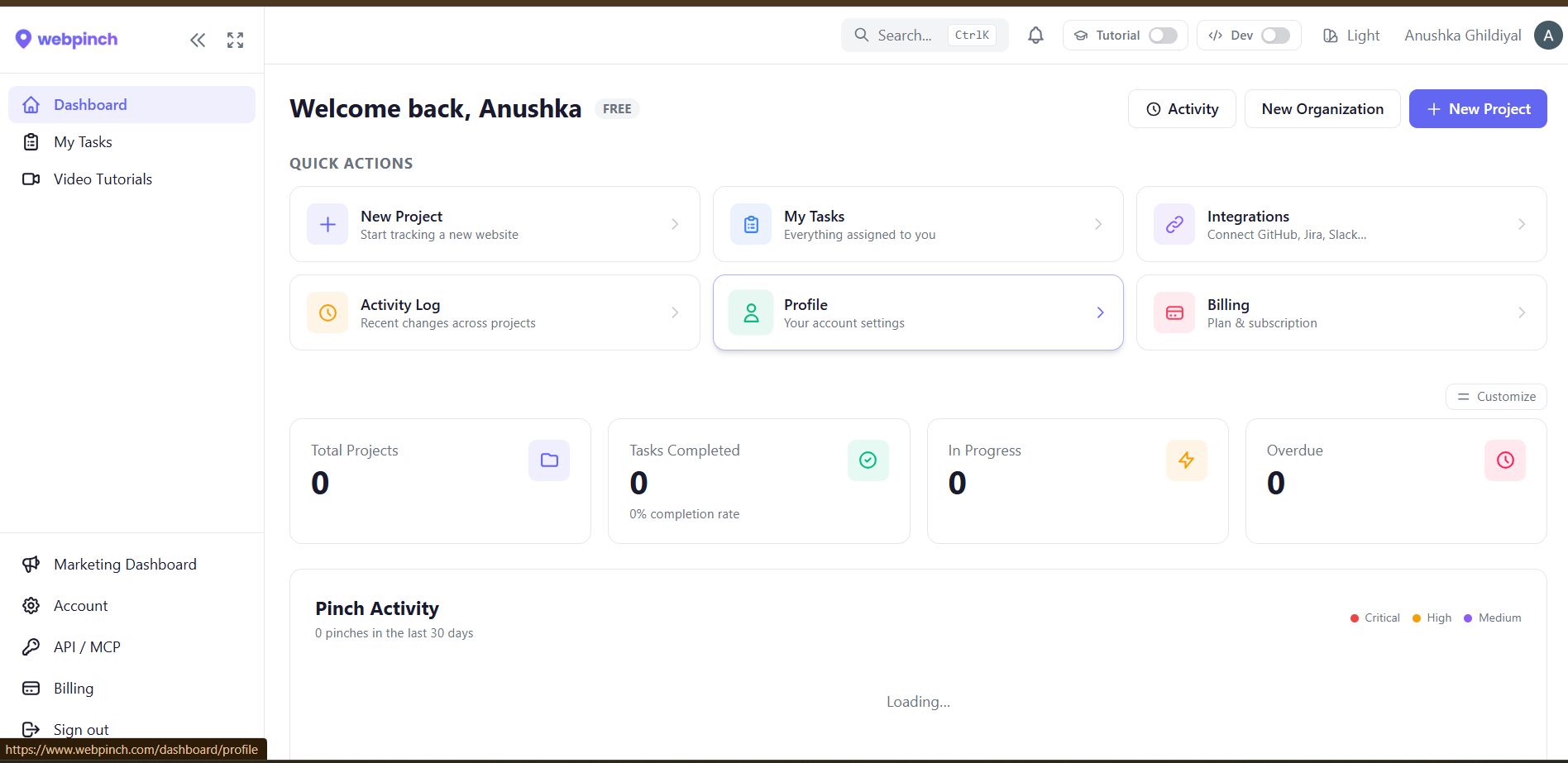
How Visual Feedback Improves Website Collaboration
Improve website collaboration with visual feedback. Learn how agencies and teams reduce miscommunication, speed up reviews, and launch projects faster.

How to Collect Website Feedback Directly on Live Websites
Learn how to collect website feedback directly on live websites using a website feedback tool to speed up reviews, reduce revisions, and improve collaboration.
What Are the Benefits of Using WebPinch for Client Feedback?
Discover how WebPinch simplifies client feedback with visual comments, bug tracking, faster approvals, and seamless collaboration for agencies and teams.
The Smartest Way to Collect Website Feedback and Fix Bugs Faster
WebPinch helps teams collect visual website feedback, track bugs, collaborate efficiently, and launch websites faster with fewer revisions.
What technical info to capture in a bug report (and how to automate it)
The five fields every bug report needs, why most are missing, and how to capture them automatically so reporters only have to describe the symptom.
How to run a design review with clients — on the live build, not the mockup
Mockups lie about how things look in real browsers. Run design reviews on the implemented build, capture feedback in-place, and burn down a Kanban board to sign-off. A practical, end-to-end workflow for agencies.
The agency UAT checklist: 60+ checks before you ship a client website
A practical, exhaustive UAT checklist organised by phase — pre-UAT setup, functional and visual checks, performance, content, SEO, analytics — with the items most agencies miss.
BugHerd vs Pastel vs WebPinch: which client feedback tool to pick
An honest, use-case-first comparison of three visual feedback tools — when each one is the right pick, what each one gets wrong, and how to decide without a 30-day trial.
Best Chrome extensions for bug reporting in 2026
Eight Chrome extensions that turn bug reports from a chore into a one-click action — with honest notes on who each one fits, what it costs, and where each falls short.
How to collect client feedback on a website without endless emails
Email kills feedback loops because it strips context. Here's the four-step workflow agencies use to collect clear, visual, actionable feedback — and close every revision round on a Kanban board.