Why Traditional Feedback Methods Slow Down Web Projects

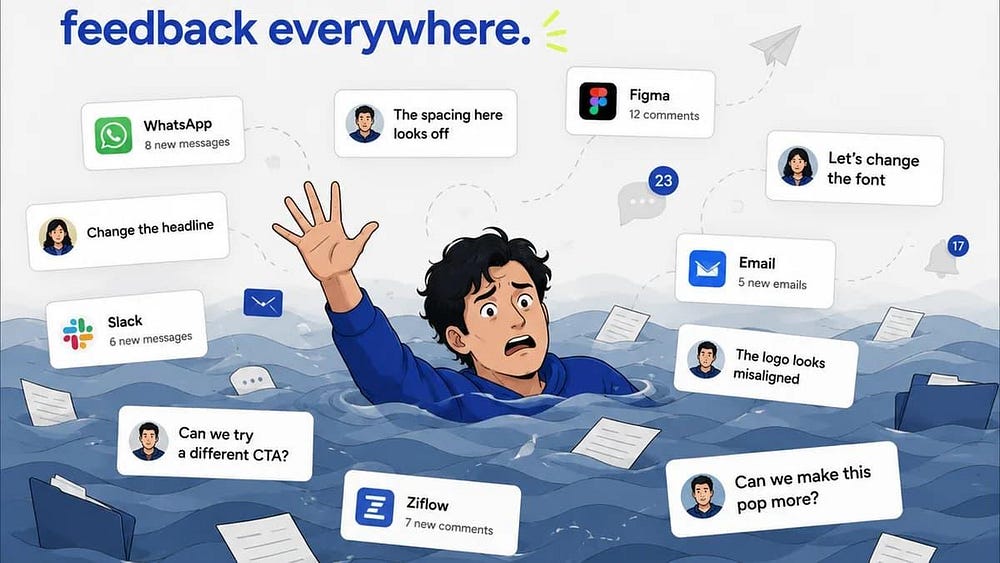
Building a website is a collaborative effort involving designers, developers, project managers, marketers, and clients. While the goal is always to deliver a polished website on time, one common challenge continues to slow down projects: traditional feedback methods.
Long email chains, scattered WhatsApp messages, screenshots with vague instructions, and endless revision calls often create more confusion than clarity. Instead of helping teams move faster, these outdated communication methods increase delays, misunderstandings, and unnecessary rework.
A modern website feedback workflow replaces scattered communication with visual, organized, and actionable feedback — helping teams launch websites faster and with fewer revisions.
The Problem with Traditional Website Feedback
Most website projects still rely on communication methods that weren’t designed for reviewing websites.
Typical feedback looks something like this:
“Move the button a little lower.”
“The text isn’t right.”
“The image on page three looks strange.”
“The homepage doesn’t feel premium.”
While these comments may seem helpful, they rarely provide enough context for developers or designers to know exactly what needs to change.
Without precise feedback, teams spend valuable time asking follow-up questions instead of making progress.
Common Challenges of Traditional Feedback
1. Endless Email Chains

Emails quickly become difficult to manage during a website project.
Problems include:
Multiple versions of the same feedback
Lost attachments
Unclear latest revisions
Difficult search history
Duplicate comments
As projects grow, finding the correct instruction becomes increasingly difficult.
2. Confusing Screenshots
Clients often take screenshots and draw arrows or circles.
Unfortunately, screenshots don’t tell developers:
Which page they’re viewing
Which browser they’re using
Screen resolution
Device information
Exact HTML element
Developers frequently need additional clarification before they can even begin fixing the issue.
3. Feedback Across Multiple Platforms
Many teams receive feedback from:
Email
WhatsApp
Slack
Microsoft Teams
Phone calls
Zoom meetings
PDFs
Excel sheets
Instead of working on improvements, project managers spend hours gathering feedback into one place.
4. Unclear Responsibilities
When feedback is scattered, nobody knows:
Who should fix the issue
Whether the issue has been completed
Who approved the change
Which revision is the latest
This often leads to duplicate work and missed tasks.
5. Longer Approval Cycles
A simple website revision can take days because:
Client sends email
Designer replies
Developer asks questions
Client explains again
Designer confirms
Developer implements
Client requests another revision
One small change can involve multiple conversations before it’s completed.
How a Modern Website Feedback Workflow Solves These Problems
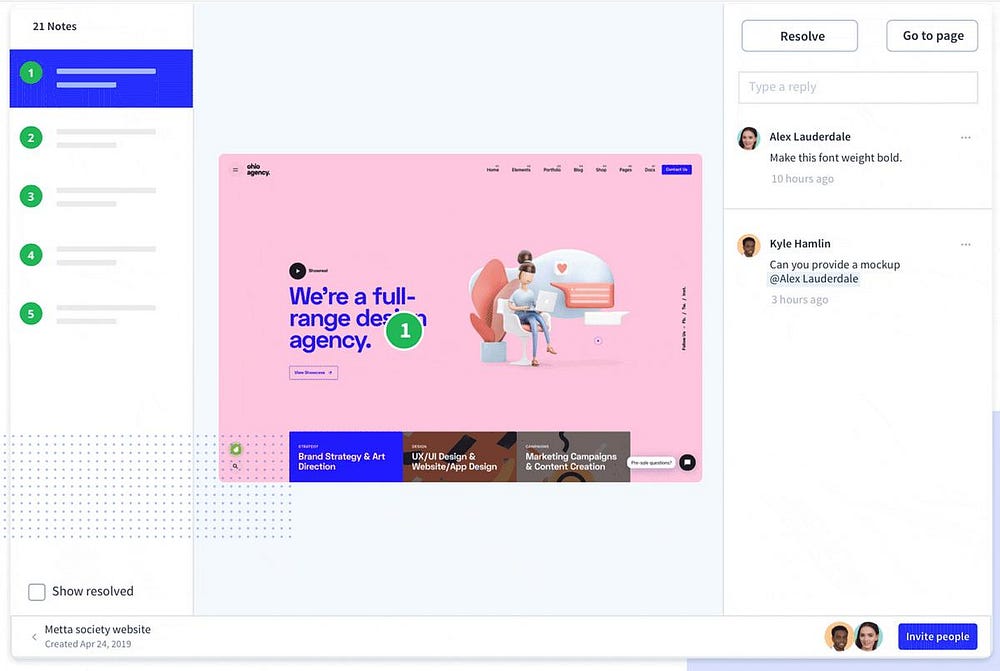
Modern website collaboration platforms eliminate unnecessary communication by allowing users to leave feedback directly on the live website.
Instead of saying:
“The button near the pricing section.”
Users simply click the button and leave a comment exactly where the issue exists.
This removes ambiguity and speeds up revisions.
Benefits of Visual Website Feedback
A visual feedback workflow offers several advantages:
Clear Communication
Comments are attached directly to website elements, reducing misunderstandings.
Faster Bug Resolution
Developers know exactly where the issue exists, minimizing investigation time.
Centralized Feedback
All comments, approvals, screenshots, and discussions remain in one organized workspace.
Better Collaboration
Designers, developers, marketers, QA testers, and clients work from the same source of truth.
Faster Website Launches
Less confusion means fewer revisions and quicker approvals.
What an Efficient Website Feedback Workflow Looks Like
A streamlined workflow typically follows these steps:
Review the live website.
Click directly on the element that needs attention.
Leave a clear comment.
Assign the task to the appropriate team member.
Track progress through completion.
Resolve the issue.
Receive client approval.
Launch with confidence.
Because every comment is tied to a specific location on the website, there is no need for lengthy explanations or repeated clarification.
Why Agencies Benefit the Most
Digital agencies often manage multiple clients simultaneously.
Without an organized workflow, project managers spend significant time coordinating feedback instead of delivering projects.
A visual feedback platform helps agencies:
Reduce revision cycles
Improve client communication
Deliver projects faster
Minimize costly misunderstandings
Enhance the client experience
Why Developers Prefer Visual Feedback
Developers want precise, actionable tasks — not vague descriptions.
Instead of:
“Something looks wrong on mobile.”
A visual comment provides:
Exact location
Device information
Browser details
Screenshot
Comment history
This enables developers to resolve issues more efficiently.
The Future of Website Collaboration
As websites become more interactive and development teams become more distributed, traditional communication methods continue to lose effectiveness.
Modern teams increasingly rely on visual collaboration tools that simplify reviews, approvals, and revisions.
A structured website feedback workflow reduces project delays, improves communication, and helps teams deliver higher-quality websites in less time.
Final Thoughts
Traditional feedback methods were never designed for reviewing modern websites. Scattered emails, screenshots, and messaging apps create unnecessary confusion that slows every stage of a web project.
By adopting a visual website feedback workflow, teams can centralize communication, reduce revision cycles, and collaborate more effectively. Whether you’re a designer, developer, agency, or client, using a dedicated visual feedback platform like WebPinch can transform the way your team reviews, approves, and launches websites.
FAQ
What is a website feedback workflow?
A website feedback workflow is the structured process of collecting, organizing, assigning, and resolving website comments and revisions throughout a project.
Why do traditional feedback methods slow down web projects?
They create fragmented communication, unclear instructions, duplicate work, and longer approval cycles, leading to delays and increased costs.
What is visual website feedback?
Visual website feedback lets reviewers click directly on a webpage to leave comments on specific elements, making feedback precise and actionable.
How does WebPinch improve collaboration?
WebPinch centralizes website comments, assignments, and approvals in one place, helping teams reduce confusion, accelerate revisions, and launch projects faster.
Try WebPinch free
Pin feedback on any website, capture screenshots automatically, and track everything on a Kanban board.