Website Broken? Here's How to Identify What Went Wrong
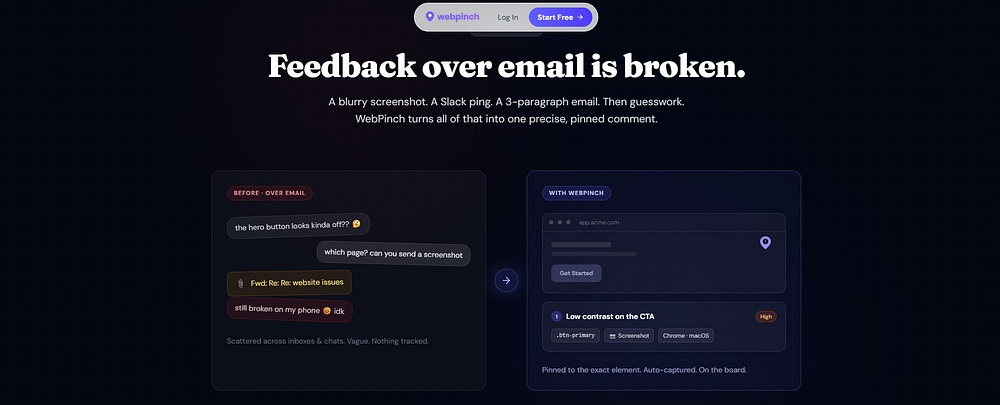
Your website looks fine, but suddenly a customer says, “The button isn’t working.” Another person reports that a page won’t load, while someone else can’t submit a form. So, what’s actually wrong? Website bugs aren’t always easy to see. Some problems happen only on certain browsers, devices, pages, or user actions. That’s why finding the exact cause is often harder than simply knowing that something is broken. This is where WebPinch can make website debugging easier.
Why Do Websites Break?
Websites can develop problems for many reasons. Common causes include:
JavaScript errors
Broken links or pages
Failed API requests
Website updates or code changes
Forms and buttons not working
Mobile responsiveness issues
Third-party service failures
A small error in the background can sometimes stop an important feature from working properly.
How Do You Find the Problem?

The first step is to identify what isn’t working. Is it a specific button? A form? A particular page? Or does the problem only happen on mobile? Once you’ve identified the issue, you need to understand what caused it. Checking error messages and technical details can help developers reproduce the problem and find a solution. However, collecting all this information manually can be time-consuming.
How WebPinch Helps You Find Website Bugs
WebPinch helps you discover and understand website issues without relying entirely on customer complaints. When a bug occurs, WebPinch can help capture important information about the problem, making it easier for your team to investigate. With WebPinch, teams can:
Identify website bugs and errors
Capture useful technical details
Understand where an issue occurred
Create clearer bug reports
Share problems with developers more easily
Speed up the troubleshooting process
Instead of receiving a message like “The website isn’t working,” your team can get more useful information to understand what needs attention.

Don’t Wait for Customers to Find Your Bugs
A broken button might mean a lost lead. A failed checkout could mean a lost sale. Even a small website error can affect the customer experience. Regularly checking your website and having the right bug-reporting process can help you catch problems earlier. WebPinch helps you find website bugs, understand what went wrong, and give your team the information they need to fix them faster.
Find the Bug Before Your Customer Does
Your customers should be using your website — not testing it for you. With WebPinch, find the problem, understand the issue, and fix it faster.
Try WebPinch free
Pin feedback on any website, capture screenshots automatically, and track everything on a Kanban board.