How Visual Bug Tracking Makes Remote Collaboration Easier
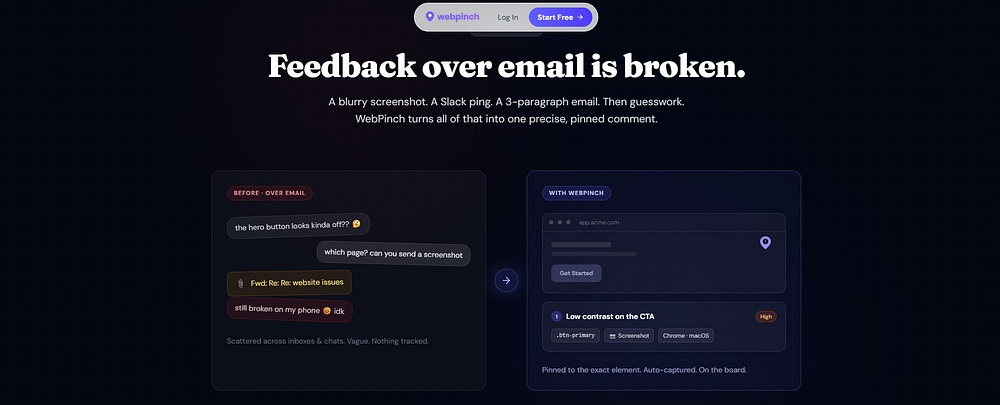
There are two kinds of problems in a remote team. The ones you can see. And the ones you have to explain. The first kind usually gets fixed quickly. The second kind gets a meeting. And then another message. And then a screenshot of the screenshot. That’s how a tiny website issue can somehow become everyone’s problem. A designer notices that a button feels too close to the edge. A client notices that something “doesn’t look right.” A developer asks, “Where?” The designer tries to explain. The developer imagines something completely different. Now two people are solving two different problems. The bug hasn’t changed. The picture in their heads has. That’s one of the strangest challenges of remote collaboration. We spend so much time communicating about the work that we sometimes forget to communicate with the work.
Imagine if feedback had a location.
Not a message. Not an email. A location. You could point to the exact part of a webpage and say: “This.” That’s what visual bug tracking brings to remote teams. A pin on a button. A comment beside a heading. A screenshot showing exactly what went wrong. Suddenly, “Can you fix that?” becomes something everyone understands. The designer doesn’t have to write an essay. The developer doesn’t have to play detective. The client doesn’t have to learn developer vocabulary. Everyone sees the same thing. And when everyone sees the same thing, collaboration becomes surprisingly simple.
The screen becomes the meeting room.
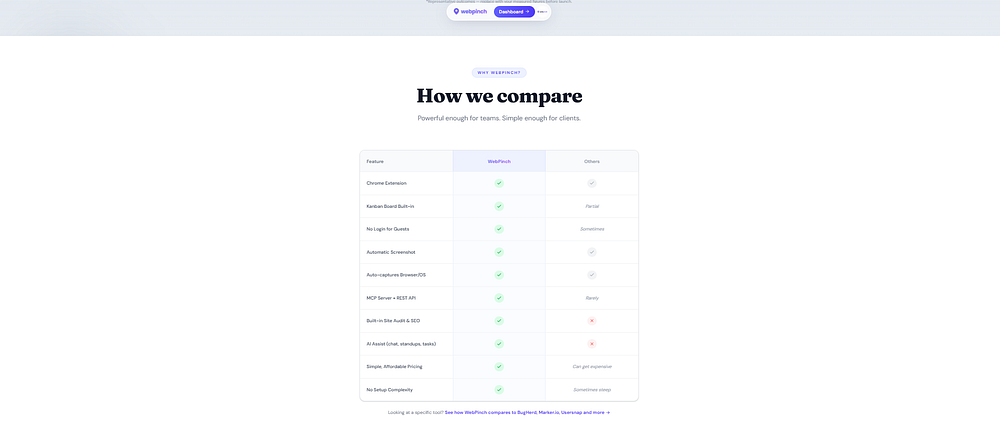
For remote teams, the website can become the place where conversations happen. Feedback lives where the problem lives. A bug doesn’t get buried under 46 Slack messages. A client comment doesn’t disappear inside an email thread. A developer doesn’t have to ask, “Which page was that again?” The context stays attached to the work. That’s the real value of a visual feedback tool. It’s not about adding another tool to the workflow. It’s about removing the unnecessary conversation around the workflow. WebPinch makes this possible by letting teams visually pin feedback and bugs directly on websites, so everyone can understand, discuss, and track the issue from the same place. Because sometimes the fastest way to explain something isn’t to describe it better. It’s to point at it. And for a remote team, that tiny difference can turn collaboration from: “What are you talking about?” into: “Got it. I’m fixing it.”
Try WebPinch free
Pin feedback on any website, capture screenshots automatically, and track everything on a Kanban board.