Website Feedback. Now in Your Pocket. The WebPinch Mobile App Is Coming Soon!
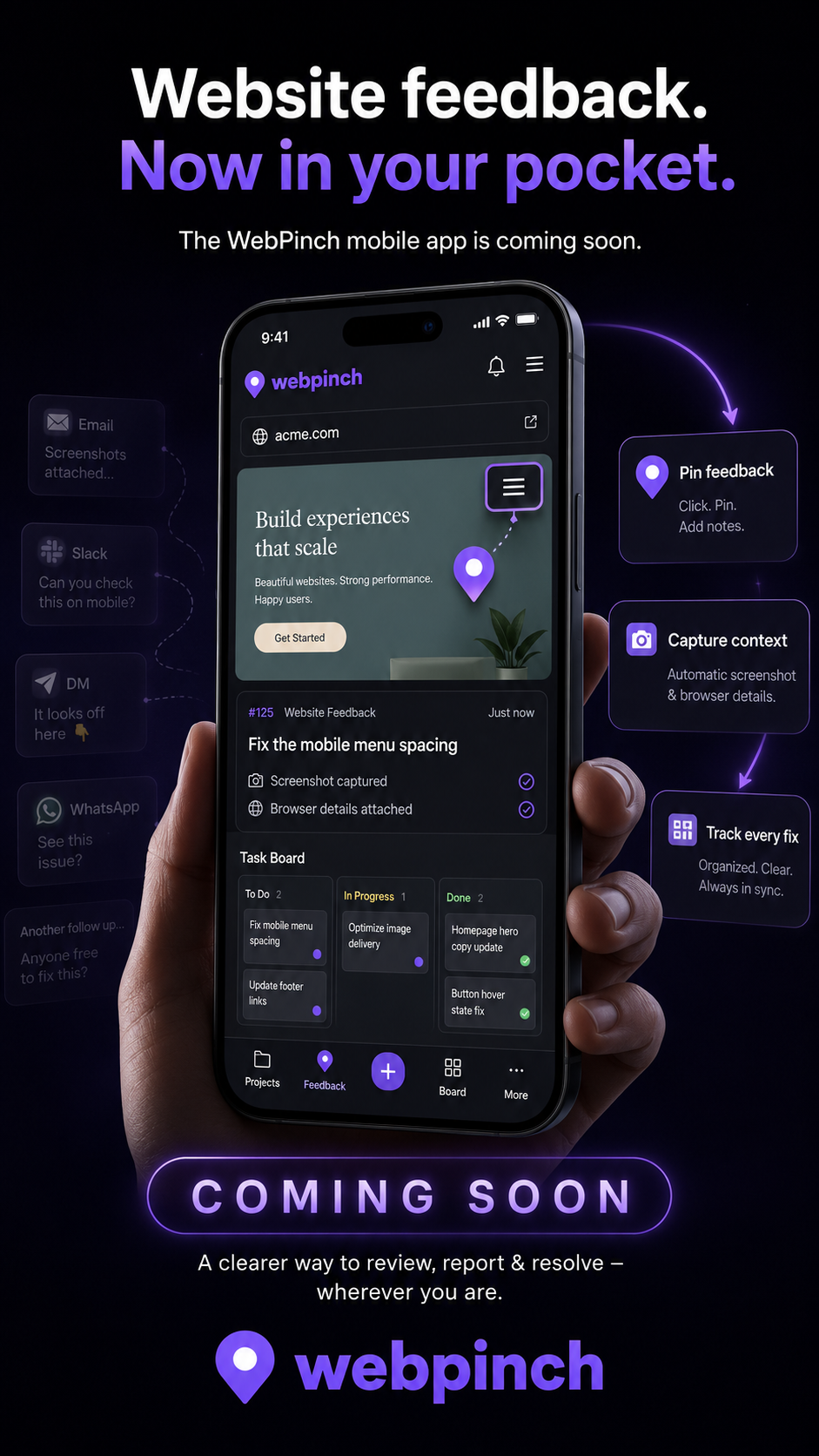
There’s something familiar about this situation.
You're away from your desk, checking a website on your phone, and suddenly you notice something that needs fixing.
Maybe a button isn't aligned properly. Maybe the mobile menu isn't opening as expected. Or perhaps a section looks completely different from how it was supposed to.
You want to report it immediately.
So you take a screenshot, open WhatsApp, send a message, and try to explain exactly where the problem is.
Then comes the reply:
"Which page are you talking about?"
And just like that, a two-minute task turns into another conversation.
We've all been there.
That's one of the everyday frustrations WebPinch wants to make easier.
Website Feedback Shouldn't Be Limited to Your Desk
Website projects don't always happen in front of a laptop.
Clients check updates while travelling. Developers notice issues while browsing on their phones. Project managers review changes between meetings.
But the process of reporting feedback often feels tied to a desktop workflow.
You notice something on your phone, but you have to wait until you're back at your computer to properly explain it.
Why should it work that way?
The WebPinch mobile app is coming soon, with a simple idea behind it: make website feedback more accessible, wherever you happen to be.
Introducing the Upcoming WebPinch Mobile App
<escape> </escape>
The upcoming WebPinch mobile app is designed to bring the website feedback experience closer to the way people actually work today.
Imagine noticing an issue while browsing a website on your phone.
Instead of switching between different messaging apps, screenshots, and conversations, you can use a more organized feedback workflow.
The app's planned experience brings together three important parts:
1. Pin Feedback
See something that needs attention? Pin the feedback to the relevant part of the website and add a note explaining what needs to change.
2. Capture the Context
A screenshot is helpful, but understanding the situation matters too. The mobile app's planned experience highlights capturing screenshots and relevant browser details to help make feedback clearer.
3. Track Every Fix
Reporting an issue is only the beginning. Teams also need to know whether it's waiting, being worked on, or completed. The app's preview highlights task tracking to help keep that process organized.
The idea is simple: less time explaining problems, more time resolving them.
From Scattered Messages to a Clearer Workflow
Think about how website feedback usually arrives.
One screenshot comes through email. Another comment appears in Slack. A client sends a WhatsApp message saying something looks different on mobile.
The developer has to collect everything, understand which page each message refers to, and turn those comments into tasks.
It's not that people don't communicate.
It's that the feedback is scattered.
WebPinch already helps teams bring visual website feedback and task tracking into one workflow. Feedback can be pinned to specific website elements, with screenshots and technical context captured, before being organized on a Kanban board.
The upcoming mobile app is intended to make that experience more accessible when you're away from your desk.
Who Will Find It Useful?
The mobile app is especially relevant to people who regularly review websites and coordinate changes.
Developers can keep track of reported issues without relying entirely on scattered messages.
Designers can share observations about layouts, spacing, and visual details.
Agencies can make client review conversations easier to organize.
Project managers can keep an eye on feedback and progress while moving between meetings and projects.
And for clients, the bigger benefit is simple: explaining what needs attention shouldn't require technical knowledge.
We're Getting Closer to a More Flexible Way of Working
The way people work has changed.
We don't always sit at one desk, use one device, or communicate through one platform. Website projects move between people, places, and screens.
The tools we use should make that process easier.
That's the thinking behind the upcoming WebPinch mobile app.
We're looking forward to bringing website feedback closer to your everyday workflow and making it easier to review, report, and resolve issues wherever you are.
Coming Soon. Stay Tuned!
The WebPinch mobile app is coming soon.
This is another step toward making website collaboration simpler, clearer, and more flexible.
Whether you're a developer checking a fix, a designer reviewing a page, or a client sharing feedback, the goal remains the same: everyone should be able to communicate clearly and keep the work moving.
Website feedback. Now in your pocket.
Keep an eye on WebPinch for more updates about the upcoming mobile app.
Visit: https://www.webpinch.com/
WebPinch — Pin Feedback. Track Bugs. Ship Faster.
Try WebPinch free
Pin feedback on any website, capture screenshots automatically, and track everything on a Kanban board.