The Fix Was Done. The Client Was Still Looking at the Old Version.
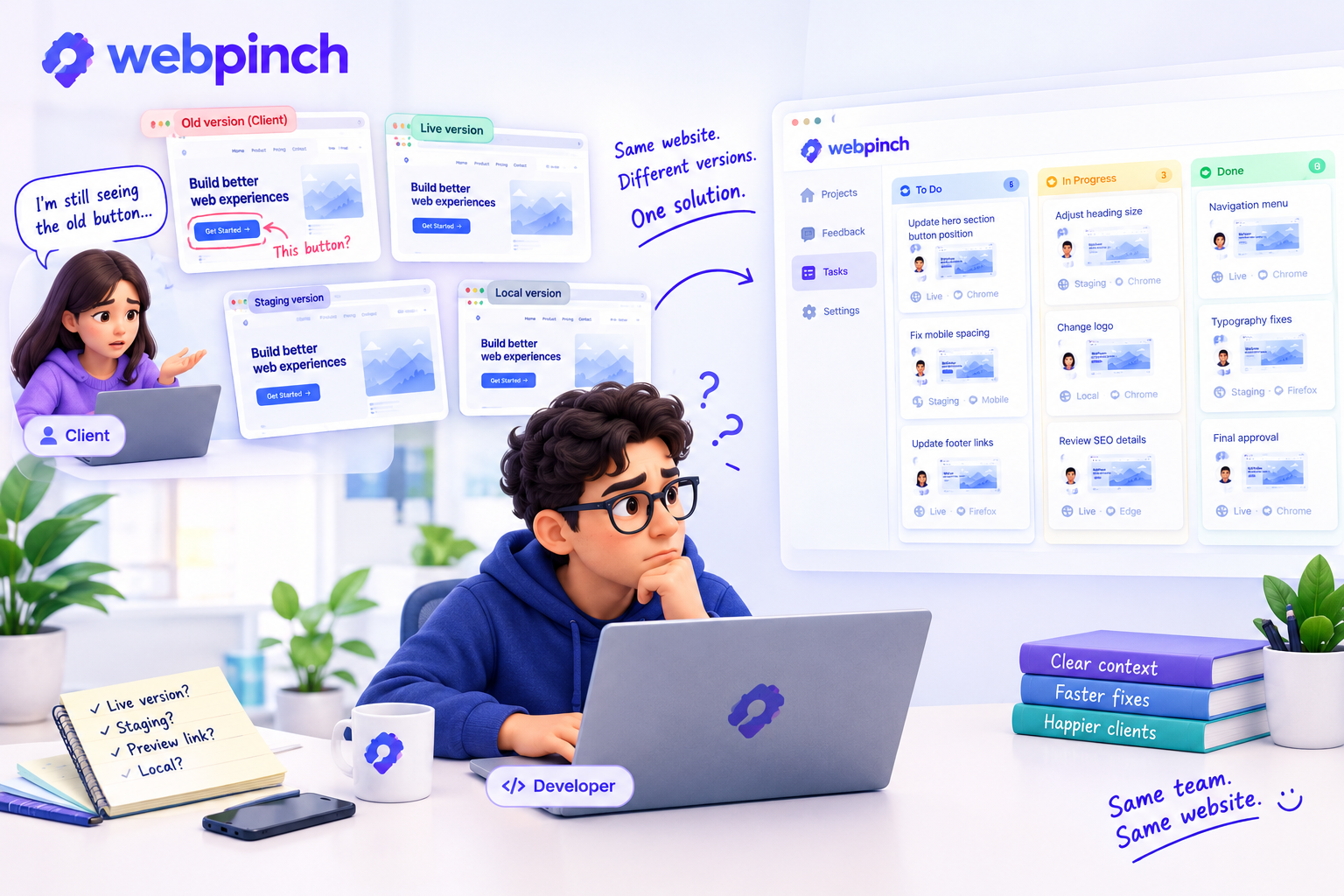
The developer had finished the fix.
The button was in the right place.
The spacing looked good.
The mobile version had been checked.
So the task was marked:
Done.
A few hours later, the client sent a message.
“I’m still seeing the old button.”
The developer opened the website.
The new version was there.
They refreshed.
Still there.
They checked again.
Everything looked fine.
Then came the question nobody wanted to ask:
“Which version are you looking at?”
And There It Was
The client was looking at an older preview.
Not the latest build.
Not the version the developer had just fixed.
An older version.
The bug wasn't really a bug anymore.
But the feedback conversation had suddenly started all over again.
This happens more easily than people think.
A website can have a live version, a staging version, a preview link, a local version, and sometimes several versions sitting between them.
Everyone can be looking at “the website” while actually looking at something slightly different.
The Problem Isn't Always the Fix
Sometimes the difficult part isn't fixing the issue.
It's making sure everyone is looking at the same context.
A client says:
“The heading is still too big.”
The developer checks it.
“It's already been changed.”
The client sends a screenshot.
The developer looks at it.
The screenshot shows the old version.
Now the team has another conversation to figure out what happened before anyone can even talk about the actual design.
That is a lot of energy spent on something that should have been simple.
Context Matters More Than We Think
When feedback is connected directly to the website, the conversation becomes easier to follow.
With WebPinch, a feedback pin can capture the page screenshot along with information such as the browser, operating system, screen resolution, and page URL. The feedback can then become a task that the team tracks on its Kanban board.
That context doesn't magically solve every version-control problem.
But it gives the team something important:
a shared reference point.
Instead of asking:
“Which page?”
“Which version?”
“Which button?”
“Which device?”
The team has more information to start with.
The Smallest Details Can Save the Most Time
This is something teams often learn the hard way.
You don't always lose an hour because something takes an hour to fix.
Sometimes you lose an hour because five people spend twelve minutes trying to understand the same five-minute problem.
That's the frustrating part.
Nobody is doing anything wrong.
The developer is working.
The client is reviewing.
The designer is checking.
The project manager is following up.
Everyone is doing their job.
The workflow is just making everyone work harder than necessary.
A Better Feedback Workflow Is About Keeping Everyone in the Same Picture
The best feedback isn't necessarily longer.
It's clearer.
It's connected to the actual website.
And when possible, it carries enough context that the person fixing the issue doesn't have to start the investigation from zero.
That's what visual feedback is really about.
Not fancy screenshots.
Not another dashboard.
Just making sure that when someone says:
“This needs fixing.”
everyone knows exactly what “this” is.
Because sometimes the fix isn't the hard part.
Finding the same version of the problem is.
Try WebPinch free
Pin feedback on any website, capture screenshots automatically, and track everything on a Kanban board.