Stop Sending Bug Screenshots Back and Forth: There’s a Better Way
Stop Sending Bug Screenshots Back and Forth: There’s a Better Way
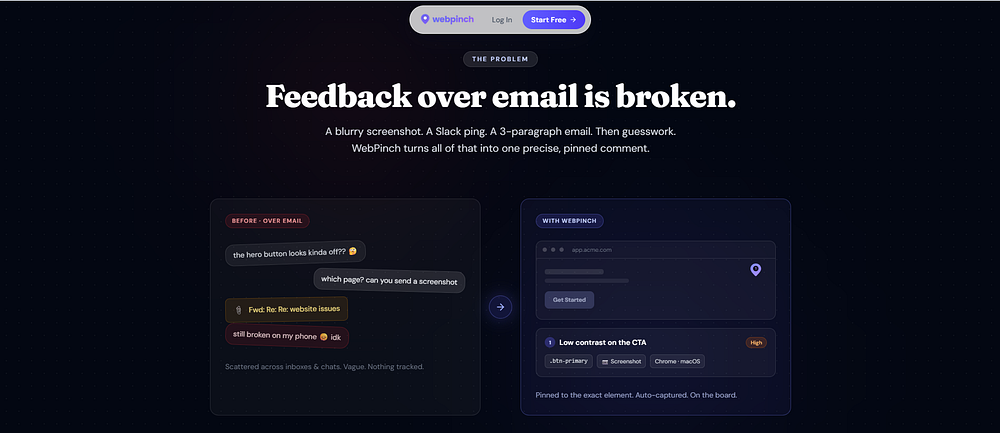
It was supposed to be a quick fix. A client noticed something wrong on the website and sent a screenshot to the development team. The developer opened it, tried to understand the issue, and replied with a simple question: “Can you show me exactly where this is happening?” That led to another screenshot. Then another message. Then a screen recording. The actual bug took a few minutes to fix. Figuring out what the bug actually was took much longer. And this happens more often than it should.
When Feedback Gets Lost in Communication
Website development involves constant feedback. Designers review pages, clients request changes, developers fix issues, and QA teams test everything again. But when feedback is scattered across screenshots, emails, WhatsApp messages, and chat threads, even a small issue can become a confusing task. A screenshot might show the problem, but it doesn’t always tell the developer:
Where exactly is it?
What action caused it?
Is it happening every time?
Which device or browser was used?
So the team starts asking questions. And the conversation keeps going.
What If You Could Just Point to the Problem?

Instead of explaining where a problem exists, imagine being able to pin it directly on the webpage. That’s where WebPinch changes the workflow. With WebPinch, clients, designers, QA teams, and developers can leave visual feedback exactly where the issue appears. Bugs can be discussed, tracked, assigned, and followed until they’re resolved. The feedback stays connected to the actual problem. No hunting through old screenshots. No searching through endless chat messages. No guessing what someone meant.
Less Explaining. More Fixing.
The goal isn’t to create another complicated process for your development team. It’s to remove the unnecessary steps between finding a problem and fixing it. With WebPinch, feedback becomes visual, organized, and actionable. Because developers shouldn’t spend their time asking “Where is the bug?” They should be able to see it, understand it, and fix it.
WebPinch — Turn website feedback into action.
Try WebPinch free
Pin feedback on any website, capture screenshots automatically, and track everything on a Kanban board.